Gravity Forms Overview
Rocketgenius addresses the challenge of creating sophisticated mobile marketing campaigns with its advanced software solutions. By focusing on mobile marketing, Rocketgenius equips businesses with tools to enhance customer engagement through mobile platforms. The software supports the development of targeted marketing strategies, leveraging mobile-specific features to reach audiences effectively. This capability is crucial for businesses aiming to optimize their mobile presence and drive customer interaction. Rocketgenius's solutions are designed to handle the complexities of mobile marketing, providing businesses with the necessary tools to navigate this dynamic landscape.
Use Cases
Customers recommend Sending & Publishing Communications, Engagement Management, Workflow Management, as the business use cases that they have been most satisfied with while using Gravity Forms.
Business Priorities
Acquire Customers and Increase Sales & Revenue are the most popular business priorities that customers and associates have achieved using Gravity Forms.
Gravity Forms Use-Cases and Business Priorities: Customer Satisfaction Data
Gravity Forms works with different mediums / channels such as Website. E-Mail. Phone Calls etc.
Gravity Forms's features include Widgets, Feedback Surveys, Alerts: Popups & Notifications, etc. and Gravity Forms support capabilities include Chat Support, Email Support, Phone Support, etc. also Gravity Forms analytics capabilities include Analytics, and Custom Reports.
Reviews
"...Build and publish your WordPress forms in just minutes...." Peer review
Peer review evidence (same sources as the product rating summary)
"...It allows users to build, publish, and manage web forms. ..." 10 Best Gravity Forms Alternative
"...If the form already serves another purpose, adding user registration to it streamlines users interaction on your site...." Register Multiple Users From a Single Form
"...The form builder app also provides you with an array of useful integrations to ease the workflow. ..." 10 Best Online Form Builder Apps to look for in 2020
Gravity Forms, Attentive, Alpha Anywhere, Onesignal, Airship, etc., all belong to a category of solutions that help Customer Feedback Management. Each of them excels in different abilities. Therefore, determining the best platform for your business will depend on your specific needs and requirements.
Gravity Forms, the best WordPress form builder plugin, offers an easy-to-use, flexible, and scalable solution. It enhances website functionality with its versatile features.
Popular Business Setting
for Gravity Forms
Top Industries
- Information Technology and Services
- Sports
- Management Consulting
Popular in
- Mid Market
- Small Business
- Enterprise
Gravity Forms is popular in Information Technology And Services, Sports, and Management Consulting and is widely used by Mid Market, Small Business, and Enterprise.
Gravity Forms Customer wins, Customer success stories, Case studies
What Are the key features of Gravity Forms for Sending & Publishing Communications?
What solutions does Gravity Forms provide for Engagement Management?
Why is Gravity Forms the best choice for Workflow Management?
Why is Gravity Forms the best choice for Knowledge Management?
Why is Gravity Forms the best choice for Creating Contact List?
Mortgage Capital Trading (MCT) - Financial Services - Medium
New Global Adventures - Events Services - Small
Toni Livesey (agency) - Marketing And Advertising
WP Accessibility Day - Events Services - Small
Road Warrior Creative - Marketing And Advertising - Small
Frequently Asked Questions (FAQ)
What buyers ask before choosing Gravity Forms
Integrations What CRM integrations are available for Gravity Forms?
Gravity Forms offers a variety of CRM integrations to enhance your data collection and management capabilities. Notable integrations include Salesforce, which allows you to sync form submissions directly to your Salesforce account, streamlining lead management and follow-up processes. Additionally, the Gravity Forms HubSpot Add-On enables seamless integration with HubSpot, facilitating efficient lead capture and nurturing. Other integrations include MailChimp for email marketing and Google Sheets for data organization and analysis. These integrations help businesses automate workflows, manage customer relationships more effectively, and ensure that valuable data collected through forms is utilized efficiently across platforms. By leveraging these CRM integrations, users can enhance their marketing strategies and improve overall operational efficiency.
Integrations How can I connect Gravity Forms to Salesforce?
To connect Gravity Forms to Salesforce, you will need to use the Gravity Forms Salesforce Add-On, which allows you to seamlessly integrate your WordPress forms with your Salesforce CRM. First, ensure that your Salesforce account has API access, as this is a requirement for the integration. You can verify your API access using the Salesforce Connection Verification Tool. Once confirmed, install the Gravity Forms Salesforce Add-On from your WordPress dashboard. After installation, configure the add-on by connecting it to your Salesforce account and mapping your form fields to the corresponding Salesforce fields. This integration enables you to automatically send form entry data to Salesforce, helping you collect leads and engage with customers effectively. For additional guidance, refer to the documentation provided with the add-on.
Integrations What are the setup steps for integrating Gravity Forms with HubSpot?
To integrate Gravity Forms with HubSpot, first ensure you have both Gravity Forms installed on your WordPress site and the HubSpot Add-On activated. Begin by navigating to the Gravity Forms settings in your WordPress dashboard and locate the HubSpot integration settings. Here, you will need to authenticate your HubSpot account by entering your HubSpot API key, which you can find in your HubSpot account settings. Once authenticated, create or edit a form in Gravity Forms and add the HubSpot fields you want to map, such as email and name. After configuring the form fields, set up notifications to send submissions to HubSpot. Finally, test the integration by submitting a form to ensure that the data syncs correctly with your HubSpot CRM. This integration allows you to streamline lead management and enhance your marketing efforts.
Integrations How does data flow between Gravity Forms and Agile CRM?
Data flows between Gravity Forms and Agile CRM through the Gravity Forms Agile CRM Add-On, which facilitates seamless integration. When a user submits a form created with Gravity Forms, the add-on automatically captures the submission data and can either add new contacts to Agile CRM or update existing ones. Additionally, it allows for the creation of new tasks within Agile CRM based on form submissions, streamlining your workflow and enhancing productivity. This integration helps businesses automate their sales and marketing processes, ensuring that leads are efficiently managed and followed up on without manual data entry. By leveraging this connection, organizations can improve their customer relationship management and maintain a more organized database of leads and contacts.
Integrations Are there any limitations when integrating Gravity Forms with Zapier?
When integrating Gravity Forms with Zapier, there are some limitations to consider. While the Zapier Add-On allows you to connect Gravity Forms with over 8,000 apps, the functionality is dependent on the specific triggers and actions available for each app. For instance, not all apps may support the same data fields or types, which can restrict how you automate workflows. Additionally, the integration is compatible with Pro, Elite, and Nonprofit licenses, meaning users with lower-tier licenses may not have access to all features. It's also important to note that while Zapier facilitates data transfer, complex workflows may require additional setup or customization. Overall, while the integration is powerful, understanding these limitations can help you better plan your automation strategies.
Integrations What is the sync behavior when using Gravity Forms with Marketo?
When using Gravity Forms with Marketo, the sync behavior primarily involves the seamless transfer of form submissions from your WordPress site to your Marketo account. This integration allows you to automatically send lead data collected through Gravity Forms directly into Marketo, where it can be utilized for marketing automation and lead nurturing. The sync typically occurs in real-time, ensuring that any new submissions are promptly reflected in your Marketo database. Additionally, you can configure specific fields in Gravity Forms to match those in Marketo, allowing for accurate data mapping. This integration enhances your lead generation efforts by streamlining the process of capturing and managing leads, ultimately improving your marketing efficiency and effectiveness.
Features What does Gravity Flow do?
Gravity Flow is an add-on for Gravity Forms that enables users to build custom workflows to automate form-based business processes. By integrating Gravity Flow with Gravity Forms, businesses can streamline operations such as project initiation, case management, and internal HR systems, effectively eliminating the need for endless follow-up emails and paperwork. This automation not only enhances productivity but also improves transparency and flexibility within workflows. With features like online payment setups and PDF generation, Gravity Flow allows organizations to create secure and efficient systems tailored to their specific needs. Overall, it transforms chaotic email and spreadsheet management into organized, automated processes, significantly reducing cycle times and enhancing operational efficiency.
Features How do I create custom workflows in Gravity Flow?
To create custom workflows in Gravity Flow, start by ensuring you have the Gravity Flow add-on installed and activated within your Gravity Forms setup on WordPress. Once activated, navigate to the Gravity Flow settings in your WordPress dashboard. Here, you can create a new workflow by selecting "Add New" and then using the intuitive drag-and-drop interface to configure your workflow steps. You can include various actions such as approvals, user input, notifications, and webhooks, allowing you to tailor the workflow to your specific business processes. After arranging the steps in the desired order, save your workflow and activate it. This flexibility enables you to automate form-based processes efficiently, reducing manual tasks and enhancing productivity across your organization.
Features What are the steps to configure notifications in Gravity Forms?
To configure notifications in Gravity Forms, first, log into your WordPress dashboard and navigate to the form you want to edit. Click on the "Settings" tab and select "Notifications." Here, you can create a new notification by clicking "Add New." Fill in the notification settings, including the name, event trigger (like form submission), and the recipient's email address. Customize the message body and subject line to include relevant information from the form submissions using merge tags. You can also set conditions for when the notification should be sent, such as specific form fields being filled out. Once you’ve configured all settings to your satisfaction, save the notification. This process ensures that you receive timely updates on form submissions, enhancing your ability to respond to leads or inquiries effectively.
Features How do I use the drag-and-drop form builder in Gravity Forms?
To use the drag-and-drop form builder in Gravity Forms, first, ensure you have the plugin installed and activated on your WordPress site. Navigate to the Gravity Forms dashboard and click on "Forms" to create a new form. Once in the form editor, you will see a panel on the right with various field types such as text, dropdowns, and checkboxes. Simply click and hold the desired field type, then drag it into the form area on the left. You can rearrange fields by dragging them to your preferred order. After adding all necessary fields, customize their settings by clicking on each field. Finally, save your form, and you can embed it on your website using a shortcode or block. This intuitive interface allows you to create complex forms quickly and efficiently without any coding knowledge.
Features What reporting features are available in Gravity Flow?
Gravity Flow offers robust reporting features that enhance your ability to analyze and visualize data collected through Gravity Forms. Users can generate automated reports that display charts and graphs based on form submissions, allowing for quick insights into various metrics such as survey results, assessments, registrations, and operational data. The GFChart Add-On integrates seamlessly with Gravity Flow, enabling users to create visual representations of their data without requiring coding knowledge. Reports can be filtered and customized to focus on specific forms, workflow steps, or assignees, making it easier to track performance and identify trends. This functionality not only saves time by eliminating manual report production but also provides up-to-date insights that can drive informed decision-making within your organization.
Features How can I automate my business processes using Gravity Flow?
To automate your business processes using Gravity Flow, start by installing the Gravity Flow add-on for Gravity Forms on your WordPress site. This powerful workflow automation tool allows you to create custom workflows tailored to your specific needs without any programming knowledge. Begin by using the drag-and-drop interface to configure workflow steps, such as approvals, notifications, and user inputs. You can activate or deactivate steps as your processes evolve, ensuring flexibility. Additionally, integrate with other platforms like HubSpot or Salesforce to streamline data flow. Utilize built-in reporting features to monitor performance and identify areas for improvement. By automating routine tasks, you can eliminate paperwork and reduce follow-up emails, ultimately reclaiming productivity and enhancing operational efficiency.
ROI & pricing What measurable business value can Gravity Forms provide for my organization?
Gravity Forms offers significant measurable business value by streamlining data collection and enhancing user engagement on your WordPress website. By enabling the creation of custom forms, polls, and surveys, it allows organizations to gather critical insights from customers and leads efficiently. This data can be leveraged for informed decision-making, improving customer satisfaction, and tailoring marketing strategies. Additionally, features like conditional logic and calculations help create personalized experiences, reducing form abandonment rates and increasing conversion rates. The integration with CRM systems, such as HubSpot, further enhances the ability to manage leads and customer interactions effectively. Overall, Gravity Forms not only saves time and development costs but also provides actionable data that can drive business growth and improve operational efficiency.
ROI & pricing How does Gravity Forms improve ROI through cost savings and efficiency?
Gravity Forms enhances ROI by significantly reducing development costs and improving operational efficiency for businesses. As a powerful WordPress plugin, it allows users to create custom forms, surveys, and data collection tools without needing extensive coding knowledge, which saves on hiring developers. With over 48 add-ons available, including integrations with popular platforms like HubSpot and Stripe, businesses can streamline their processes and automate data handling, further reducing manual labor and errors. The use of conditional logic in forms makes them more user-friendly, leading to higher completion rates and better data quality. Additionally, the support provided by Gravity Forms ensures that users can quickly resolve issues, minimizing downtime and maximizing productivity. Overall, these features contribute to substantial cost savings and enhanced efficiency, ultimately improving the return on investment.
ROI & pricing What are the different pricing plans available for Gravity Forms and what do they include?
Gravity Forms offers three main pricing plans: Basic, Pro, and Elite, each designed to cater to different user needs. The Basic License is ideal for personal projects and blogs, providing access to the visual form builder and basic add-ons for lead capture. The Pro License includes everything in Basic, plus advanced features like payment integrations (e.g., PayPal, Stripe), and additional add-ons for enhanced functionality. The Elite License encompasses all Pro features and adds priority support, access to premium add-ons, and advanced integrations with platforms like HubSpot and Mailchimp. Each plan allows users to create customized forms tailored to their business requirements, making Gravity Forms a versatile choice for various online needs.
ROI & pricing What is the total cost of ownership for using Gravity Forms over time?
The total cost of ownership for using Gravity Forms over time includes several factors such as the initial purchase price, ongoing subscription fees, and potential costs for add-ons or custom development. Gravity Forms offers various pricing plans, with the Pro plan providing access to over 48 plugins and premium support, which averages a one-hour response time. Additionally, businesses can save thousands in development fees by utilizing the no-code solutions and customization options available. While there may be costs associated with specific add-ons like payment processors (e.g., Stripe, PayPal) or CRM integrations (e.g., Zapier), the overall investment can lead to significant savings and increased efficiency in data collection and management. Therefore, evaluating your specific needs and potential add-ons will help determine the total cost of ownership for your organization.
ROI & pricing How quickly can I expect to see value from implementing Gravity Forms in my business?
You can expect to see value from implementing Gravity Forms in your business almost immediately after installation. The plugin is designed for quick setup, allowing you to create data collection forms, polls, and surveys within minutes. Many users report that they start collecting valuable data and leads shortly after launching their first forms. Additionally, Gravity Forms offers a range of features such as conditional logic and customizable templates, which can enhance user engagement and streamline data collection processes. With over 48 add-ons available, including integrations with platforms like HubSpot, you can further extend the functionality to meet your specific business needs. Overall, the ease of use and immediate impact on data collection make Gravity Forms a valuable tool for businesses looking to optimize their online interactions.
ROI & pricing What are the potential revenue impacts of using Gravity Forms for my form-based processes?
Using Gravity Forms for your form-based processes can significantly enhance your revenue generation capabilities. By streamlining data collection through customizable forms, polls, and surveys, businesses can capture leads more effectively and convert them into customers. The plugin's integration with platforms like HubSpot allows for seamless lead management and follow-up, increasing the likelihood of sales conversions. Additionally, features such as conditional logic and conversational forms can improve user engagement, leading to higher completion rates for forms. This enhanced user experience can translate into more qualified leads and ultimately boost sales. Furthermore, Gravity Forms supports various payment gateways, enabling businesses to process transactions directly through their forms, thus facilitating immediate revenue generation. Overall, leveraging Gravity Forms can lead to improved efficiency and increased revenue potential for your business.
Capabilities Can Gravity Forms create custom workflows for automating business processes?
Yes, Gravity Forms can create custom workflows for automating business processes through its Gravity Flow add-on. This powerful WordPress plugin allows users to build tailored workflows that streamline form-based processes, eliminating the need for endless follow-up emails and paperwork. With Gravity Flow, businesses can automate routine tasks such as project initiation plans, case management, and internal HR systems, leading to shorter cycle times and improved transparency. The platform is designed to be secure, scalable, and efficient, making it suitable for any business process. By leveraging Gravity Flow, organizations can reclaim productivity and enhance operational efficiency, ultimately driving better business outcomes.
Capabilities Does Gravity Forms support digital signatures for form submissions?
Yes, Gravity Forms does support digital signatures for form submissions through its Signature Add-On. This feature allows users to capture handwritten signatures electronically using touchscreen devices, touch pads, or a mouse, without the need for any browser plugins. By integrating the Signature Add-On into your forms, you can streamline processes such as contracts, agreements, or any documentation requiring a signature, thereby reducing paperwork and enhancing user experience. This capability not only saves time but also adds a professional touch to your forms, making them more efficient for both your business and your clients. Overall, the digital signature feature in Gravity Forms enhances the functionality of your forms, making them more versatile and user-friendly.
Capabilities Can Gravity Forms manage subscriptions and recurring payments automatically?
Yes, Gravity Forms can effectively manage subscriptions and recurring payments automatically through its advanced features and add-ons. By utilizing the Subscription Add-On, users can set up subscription forms that allow customers to select their desired payment frequency, whether it's weekly, monthly, or annually. This integration works seamlessly with popular payment processors like PayPal and Stripe, enabling businesses to accept both one-time and recurring payments directly on their WordPress site. Additionally, Gravity Forms provides detailed documentation to guide users through the setup process, ensuring that managing subscriptions is straightforward and efficient. This capability not only streamlines payment processing but also enhances customer retention by simplifying the billing experience for subscribers.
Capabilities Does Gravity Forms allow for the creation of discount codes for users?
Yes, Gravity Forms does allow for the creation of discount codes for users through its Coupons Add-On. This feature enables businesses to offer discounts on products and services directly within their payment forms on a WordPress website. Implementing coupon code functionality is straightforward; you simply add a Coupon Field to your payment form and create your desired coupon codes. This capability not only enhances customer engagement but also helps increase sales by incentivizing purchases. By utilizing Gravity Forms' Coupons Add-On, businesses can effectively manage promotions and streamline the checkout process, ultimately driving growth and improving customer satisfaction.
Capabilities Can Gravity Forms generate highly customizable PDFs from form submissions?
Yes, Gravity Forms can generate highly customizable PDFs from form submissions using the Gravity PDF add-on. This feature-rich tool allows users to automatically create PDF documents once a form is submitted, offering four out-of-the-box customizable designs that can be tailored to fit your brand. You can personalize these PDFs by adding your company logo, adjusting the header and footer, and modifying the paper size, orientation, font, color, and size. If the default designs do not meet your needs, you can choose from additional templates in the Template Shop or create a bespoke design using HTML, CSS, or PHP. This capability not only enhances the presentation of your form submissions but also streamlines document management and improves communication with clients by allowing automatic email attachments of the generated PDFs.
Capabilities Does Gravity Forms provide tools for conducting surveys and analyzing data?
Yes, Gravity Forms provides robust tools for conducting surveys and analyzing data through its Survey Add-On and customizable survey templates. With these features, users can effortlessly create interactive surveys tailored to their specific needs, whether for market research, customer satisfaction, or employee feedback. The intuitive drag-and-drop form editor allows for quick customization, enabling businesses to gather valuable insights in minutes. Additionally, the Survey Add-On facilitates data collection and analysis, making it easy to interpret responses and derive actionable insights. This functionality is particularly beneficial for organizations looking to enhance their decision-making processes based on user feedback, ultimately driving improvements in products and services.
Use cases How can SDRs use Gravity Forms to streamline lead capture and follow-up processes?
Sales Development Representatives (SDRs) can leverage Gravity Forms to streamline lead capture and follow-up processes by creating customized forms that collect essential information from potential customers. By utilizing features such as the Conversational Forms Add-On, SDRs can design interactive forms that guide users through a series of questions, making the lead capture experience more engaging and efficient. Additionally, integrating Gravity Forms with CRM systems like HubSpot allows SDRs to automatically sync captured leads, ensuring timely follow-up and improved communication. The ability to use conditional logic within forms also enables SDRs to tailor questions based on user responses, leading to more relevant data collection. Overall, Gravity Forms enhances the lead generation process, allowing SDRs to focus on nurturing relationships with prospects rather than manual data entry.
Use cases What are the best use cases for marketers to implement Gravity Forms in their campaign workflows?
Marketers can leverage Gravity Forms in various impactful ways to enhance their campaign workflows. One of the best use cases is creating lead capture forms that collect detailed information from potential customers, allowing for more targeted follow-up and communication. Additionally, Gravity Forms can be used to design event registration forms, making it easy to manage attendee sign-ups for webinars or in-person events. The plugin's integration with platforms like HubSpot enables seamless data transfer, enhancing CRM capabilities. Marketers can also utilize the Quiz Add-On to engage users and gather insights, while the Conversational Forms feature can streamline the user experience, guiding prospects through a series of questions. Overall, Gravity Forms provides versatile tools that help marketers optimize their campaigns and improve lead generation efforts.
Use cases In what scenarios can RevOps teams leverage Gravity Forms to automate data collection and reporting?
RevOps teams can leverage Gravity Forms in various scenarios to automate data collection and reporting effectively. For instance, they can use Gravity Forms to create lead capture forms that gather detailed information from potential customers, enhancing follow-up strategies. Additionally, the GFChart Add-On allows teams to generate visual reports from form submissions, providing real-time insights into sales, registrations, and operational metrics without manual effort. By utilizing conversational forms, RevOps can streamline appointment scheduling or job applications, ensuring a more engaging user experience while collecting essential data. Furthermore, integrating Gravity Forms with platforms like Salesforce or HubSpot can enhance data flow and reporting capabilities, making it easier for RevOps teams to analyze performance and optimize processes. Overall, Gravity Forms offers a versatile solution for automating data collection and reporting across various operational needs.
Use cases How can sales leaders utilize Gravity Forms to enhance their customer feedback and engagement strategies?
Sales leaders can utilize Gravity Forms to enhance their customer feedback and engagement strategies by leveraging its versatile features, such as conversational forms and customizable templates. By creating engaging surveys and feedback forms, sales teams can gather valuable insights directly from customers, allowing them to understand preferences and pain points better. The Conversational Forms Add-On makes the feedback process more interactive, encouraging higher response rates and deeper engagement. Additionally, integrating Gravity Forms with CRM platforms like HubSpot can streamline data collection and follow-up processes, ensuring that feedback is effectively analyzed and acted upon. By implementing these strategies, sales leaders can foster stronger relationships with customers, ultimately driving satisfaction and loyalty.
Use cases What specific workflows can be improved by integrating Gravity Forms into internal HR systems?
Integrating Gravity Forms into internal HR systems can significantly enhance various workflows, including employee onboarding, vacation requests, performance evaluations, and recruitment processes. By utilizing the Gravity Flow add-on, HR teams can automate these workflows, reducing manual tasks and improving efficiency. For instance, onboarding can be streamlined by creating a custom form that collects necessary employee information, which then triggers notifications to relevant departments for setup. Vacation requests can be managed through automated approval processes, ensuring timely responses and clear communication. Additionally, performance evaluations can be standardized with forms that gather feedback from multiple sources, facilitating a more organized review process. Overall, these integrations lead to shorter cycle times, improved transparency, and increased flexibility within HR operations, ultimately enhancing employee satisfaction and productivity.
Use cases When should a government agency consider using Gravity Forms for creating accessible application forms?
A government agency should consider using Gravity Forms for creating accessible application forms when they need a user-friendly solution that complies with accessibility standards. Gravity Forms is a versatile WordPress plugin that allows agencies to design forms that are not only customizable but also equipped with features like conditional logic, which can simplify the user experience. This is particularly beneficial for agencies that serve diverse populations, ensuring that all applicants can easily navigate and complete forms. Additionally, Gravity Forms integrates seamlessly with various add-ons, such as the User Registration Add-On for managing user profiles and the Advanced Post Creation Add-On for automating processes, which can enhance efficiency and reduce manual workload. By leveraging Gravity Forms, agencies can streamline their application processes while maintaining compliance with accessibility requirements.
Alternatives What are the key differences between Gravity Forms and Cognito Forms?
Gravity Forms and Cognito Forms are both powerful form-building tools, but they cater to different needs and platforms. Gravity Forms is a WordPress plugin that allows users to create complex forms, surveys, and polls directly on their WordPress sites, offering extensive customization options through add-ons and conditional logic. It excels in integration with various WordPress plugins and services, such as HubSpot and Stripe. In contrast, Cognito Forms is a standalone online form builder that provides a user-friendly interface for creating forms without needing a website. It offers features like calculations, payment processing, and data management, making it suitable for businesses that require a more straightforward, cloud-based solution. Ultimately, the choice between them depends on whether you need a WordPress-specific solution or a versatile online form builder.
Alternatives How does Gravity Forms compare to 123FormBuilder in terms of features?
Gravity Forms and 123FormBuilder are both robust form-building solutions, but they cater to slightly different needs. Gravity Forms is a WordPress plugin that excels in creating customizable forms, surveys, and polls directly within WordPress sites, offering extensive integration options with platforms like HubSpot and a wide range of add-ons for enhanced functionality. It is particularly favored for its conditional logic features and user-friendly interface. In contrast, 123FormBuilder is a cloud-based solution that provides a more straightforward, drag-and-drop form creation experience, making it accessible for users without technical expertise. While 123FormBuilder offers various templates and integrations, it may lack the depth of customization and advanced features that Gravity Forms provides for WordPress users. Ultimately, the choice between the two depends on whether you prioritize WordPress integration and customization (Gravity Forms) or ease of use and cloud accessibility (123FormBuilder).
Alternatives What makes FormAssembly a better choice than Gravity Forms?
FormAssembly may be considered a better choice than Gravity Forms for businesses that require advanced data collection and integration capabilities. FormAssembly offers robust features such as Salesforce integration, which allows for seamless data transfer and management within the Salesforce ecosystem, making it ideal for organizations heavily reliant on this CRM. Additionally, FormAssembly provides enhanced compliance features, including HIPAA compliance for healthcare-related forms, which is crucial for businesses in regulated industries. Its user interface is designed for enterprise-level users, offering more customization options and scalability for larger organizations. Conversely, Gravity Forms excels in ease of use and flexibility for WordPress users, making it a strong contender for smaller businesses or those focused on simple form creation. Ultimately, the choice depends on specific business needs, such as integration requirements and compliance considerations.
Alternatives Is Wufoo a viable alternative to Gravity Forms for businesses?
Wufoo is indeed a viable alternative to Gravity Forms for businesses, particularly for those seeking an easy-to-use online form builder. While Gravity Forms is a WordPress plugin that excels in creating complex forms with advanced features like conditional logic and integrations with tools such as HubSpot and Stripe, Wufoo offers a more straightforward, user-friendly interface that can be appealing for users who may not be as tech-savvy. Wufoo provides a variety of templates and customization options, making it suitable for simple data collection needs. However, Gravity Forms may be more advantageous for businesses requiring deeper integration with WordPress and more robust functionality. Ultimately, the choice between Wufoo and Gravity Forms will depend on your specific business requirements, technical expertise, and the complexity of the forms you need to create.
Alternatives What are the advantages of using Typeform over Gravity Forms?
Typeform and Gravity Forms both serve as powerful tools for creating forms, but they cater to different user needs and preferences. Typeform is known for its visually appealing, interactive forms that enhance user engagement through a conversational interface, making it ideal for surveys and feedback collection. Its design-centric approach allows for customization that can lead to higher completion rates. On the other hand, Gravity Forms excels in its robust functionality and integration capabilities, particularly for WordPress users, offering advanced features like conditional logic and a wide range of add-ons. Businesses that prioritize aesthetics and user experience may prefer Typeform, while those needing extensive customization and integration with platforms like HubSpot or Salesforce might find Gravity Forms more suitable. Ultimately, the choice depends on whether the focus is on user engagement or comprehensive form functionality.
Alternatives How does Ninja Forms stack up against Gravity Forms for user experience?
When comparing Ninja Forms and Gravity Forms for user experience, both plugins offer intuitive interfaces but cater to different user needs. Gravity Forms is known for its robust features and extensive customization options, making it ideal for users who require advanced functionalities like conditional logic and calculations. Its drag-and-drop editor is user-friendly, allowing for quick form creation. On the other hand, Ninja Forms emphasizes simplicity and ease of use, which may appeal to beginners or those looking for straightforward form solutions. While Ninja Forms offers a free version with basic features, Gravity Forms requires a paid license but provides a more comprehensive set of tools and integrations, such as with HubSpot. Ultimately, the choice depends on the user's specific requirements and level of expertise.
Gravity Forms Competitors


Gravity Forms Features
- Low
- Medium
- High
| FEATURE | RATINGS AND REVIEWS |
|---|---|
| Analytics | Read Reviews (9) |
| Custom Reports | Read Reviews (101) |
| CAPABILITIES | RATINGS AND REVIEWS |
|---|---|
| Analytics | Read Reviews (9) |
| Custom Reports | Read Reviews (101) |
Gravity Forms Integrations
Gravity Forms integrates with a wide range of software applications through its robust data import and export capabilities.


Few API Integrations for Gravity Forms


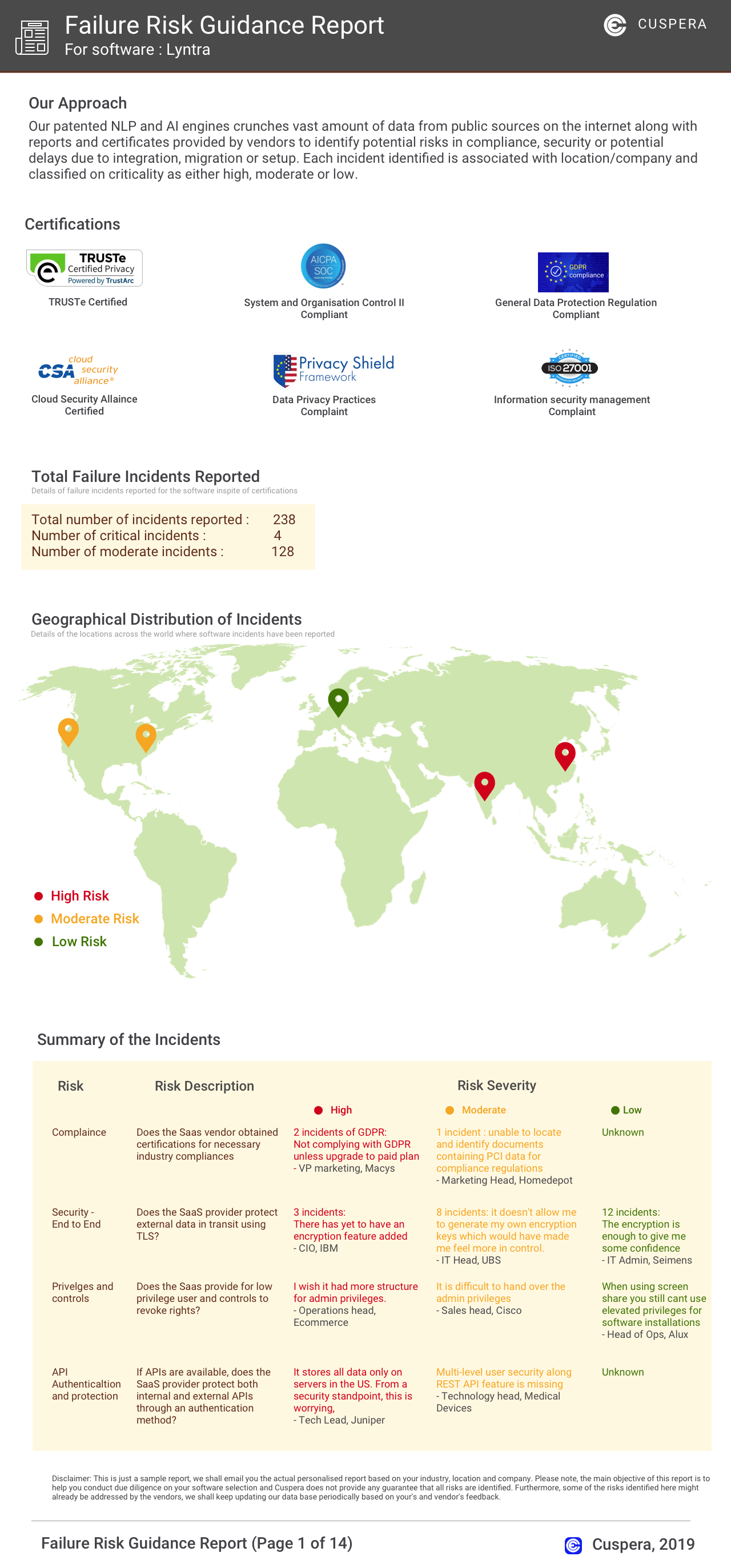
Software Failure Risk Guidance
?for Gravity Forms
Overall Risk Meter
Top Failure Risks for Gravity Forms
Gravity Forms News
Brand new release: Gravity Forms 2.10.2
Gravity Forms released version 2.10.2, featuring security enhancements and improved entry bulk processing. The update allows for seamless management of large entry batches with real-time progress tracking. Developers can customize processing thresholds via the gform_bulk_action_threshold filter.
Event Speaker Management with Gravity Forms, Flow & SMTP
Gravity Forms outlines a comprehensive workflow for managing event speaker proposals using Gravity Forms, Gravity Flow, and Gravity SMTP. This solution integrates proposal collection, review, and communication processes within WordPress, offering a streamlined system for event organizers. The workflow supports proposal scoring, reviewer assignment, and automated communication, ensuring efficient management of speaker data and decision-making.
Brand new release: Gravity Forms 2.10.1
Gravity Forms has released version 2.10.1, featuring security enhancements and updates such as a new AJAX error message customization filter and system report improvements. The update also addresses a PHP deprecation notice and an accessibility issue with the Post Image field.
Brand new release: Gravity Forms 2.10
Gravity Forms has released version 2.10, introducing new templates for agency project inquiries and school enrollments. The update also includes a Background Notifications setting for faster form submissions, enhanced logging features, and various bug fixes. The release aims to streamline client intake and admissions processes, offering customizable templates and improved performance.
Gravity Forms Profile
Company Name
Gravity Forms
Company Website
https://www.gravityforms.com/HQ Location
Social