Remote Support Desktop Overview
Cireson delivers specialized IT Service and Asset Management solutions tailored for Microsoft System Center Service Manager and Configuration Manager. Their products enhance support team efficiency and boost end-user satisfaction. Cireson offers flexible ITSM solutions, available both on-premise and in the cloud, catering to diverse organizational needs. A standout feature is their seamless integration with Microsoft 365, ensuring a smooth workflow for IT departments. Cireson is committed to maximizing your Microsoft investment, with a focus on practical solutions that align with organizational goals. Their expertise in Microsoft service management is trusted by customers worldwide.
Use Cases
Customers recommend Helpdesk Management, Collaboration, Engagement Management, as the business use cases that they have been most satisfied with while using Remote Support Desktop.
Business Priorities
Enhance Customer Relationships and Improve Internal Communications are the most popular business priorities that customers and associates have achieved using Remote Support Desktop.
Remote Support Desktop Use-Cases and Business Priorities: Customer Satisfaction Data
Remote Support Desktop works with different mediums / channels such as Phone Calls. Chat. and E-Mail.
Remote Support Desktop's features include Personalization, Recording, Ticketing, etc. and Remote Support Desktop support capabilities include Chat Support, Email Support, Phone Support, etc. also Remote Support Desktop analytics capabilities include Analytics, and Custom Reports.
Reviews
"...The tool itself is extremely focused, and meets every need we have for screen share's for example, with clients, stakeholders, and even localized IT support...." Peer review by Verified Reviewer, Information Technology and Services
Peer review evidence (same sources as the product rating summary)
"...It also helps to call audio with the same...." Peer review by Verified Reviewer, Computer Software
"...Easy to use for external IT support to screen share. ...." Peer review by Nathan C., Network optimiser, Utilities
"...and it's great for customer service and interaction...." Peer review by Verified Reviewer, Information Technology and Services
Remote Support Desktop, NinjaOne (formerly NinjaRMM), Giva, Cayzu Help Desk, Comm100 Live Chat, etc., all belong to a category of solutions that help Help Desk. Each of them excels in different abilities. Therefore, determining the best platform for your business will depend on your specific needs and requirements.
Remote-support service management apps by Cireson enable SCSM management from any browser or device. Access incidents, service requests, CMDB, reports, and more effortlessly.
Popular Business Setting
for Remote Support Desktop
Top Industries
- Information Technology and Services
- Computer Software
- Education
Popular in
- Small Business
- Mid Market
- Enterprise
Remote Support Desktop is popular in Information Technology And Services, Computer Software, and Education and is widely used by Small Business, Mid Market, and Enterprise.
Remote Support Desktop Customer wins, Customer success stories, Case studies
What makes Remote Support Desktop ideal for Helpdesk Management?
How does Remote Support Desktop facilitate Collaboration?
What benefits does Remote Support Desktop offer for Engagement Management?
Why is Remote Support Desktop the best choice for Communication Management?
What Are the key features of Remote Support Desktop for Knowledge Management?
Frequently Asked Questions (FAQ)
What buyers ask before choosing Remote Support Desktop
Integrations What CRM integrations are available for Tikit Remote Support?
Tikit Remote Support offers seamless integrations with several popular CRM platforms to enhance your customer support experience. Notably, Tikit integrates with Microsoft 365, allowing for efficient management of customer interactions directly within familiar tools like Microsoft Teams. Additionally, Tikit connects with Airtable and Asana through Power Automate, enabling teams to manage tasks and customer requests effectively across these platforms. This two-way sync ensures that updates are communicated in real time, keeping both requestors and support teams informed. While Tikit excels in integrating with Microsoft products, it also supports other tools, making it a versatile choice for organizations looking to streamline their support processes and improve customer engagement.
Integrations How does Tikit connect with Salesforce for remote support ticket management?
Tikit connects with Salesforce to enhance remote support ticket management by integrating seamlessly with Salesforce's customer relationship management (CRM) capabilities. This integration allows support teams to create, manage, and track tickets directly within the Salesforce platform, ensuring that all customer interactions are logged and accessible in one place. When a ticket is submitted through Tikit, it can automatically generate a corresponding case in Salesforce, enabling support agents to view customer history and context, which improves response times and service quality. Additionally, updates made in Salesforce can trigger changes in Tikit, keeping both systems synchronized. This integration not only streamlines workflows but also enhances collaboration between support teams and sales, ultimately leading to a better user experience and more efficient issue resolution.
Integrations What are the setup steps for integrating Tikit with HubSpot?
To integrate Tikit with HubSpot, start by ensuring you have administrative access to both platforms. First, log into your HubSpot account and navigate to the integrations section. Search for Tikit and select it to initiate the integration process. You will be prompted to authorize the connection between Tikit and HubSpot, allowing data to flow between the two systems. Next, configure the settings to define how tickets and customer interactions will sync, such as mapping fields and setting up triggers for ticket creation based on HubSpot activities. Finally, test the integration by creating a sample ticket in Tikit through HubSpot to ensure everything is functioning correctly. If you encounter any issues, consult Tikit’s support resources for troubleshooting assistance.
Integrations Can Tikit Remote Support sync data with Microsoft Teams, and how does that work?
Yes, Tikit Remote Support can sync data with Microsoft Teams, enhancing the overall support experience for users. This integration allows support teams to manage and track tickets directly within the Teams environment, ensuring that all communications and requests are centralized. When a user submits a ticket through Teams chat or channels, Tikit captures this data and funnels it into a single request queue, making it easy for analysts to triage and respond. Additionally, Tikit’s AI capabilities can deflect repetitive requests to knowledge articles or forms, streamlining the process further. By leveraging Microsoft Teams' existing infrastructure, Tikit Remote Support provides a seamless experience that keeps users engaged in their familiar workspace while ensuring efficient ticket management and resolution.
Integrations What limitations should I be aware of when integrating Tikit with Power Automate?
When integrating Tikit with Power Automate, there are a few limitations to consider. First, while Power Automate offers a low-code solution with pre-built connectors, the complexity of certain workflows may require more advanced configurations that could exceed the capabilities of the drag-and-drop interface. Additionally, the performance of automated tasks can be affected by the volume of data being processed, potentially leading to delays in ticket creation or updates. It's also important to note that while Tikit can connect with various applications like Asana and Airtable, not all features may be supported across these integrations, which could limit functionality. Lastly, users may need to invest time in training to fully leverage the automation capabilities, ensuring that workflows are optimized for their specific needs.
Integrations How does data flow between Tikit Remote Support and external systems like BigQuery?
Data flow between Tikit Remote Support and external systems like BigQuery is facilitated through seamless integrations that allow for efficient data exchange. When a support ticket is created in Tikit, it can trigger automated workflows using tools like Power Automate, which can then send relevant data to BigQuery for analysis and reporting. This integration enables organizations to visualize ticket data, track performance metrics, and derive insights from support interactions. Additionally, Tikit’s Power BI template can be utilized to create custom visuals based on the data stored in BigQuery, enhancing decision-making processes. By leveraging these integrations, businesses can ensure that their support data is not only captured but also effectively utilized for strategic improvements.
Features What does the remote desktop feature do?
The remote desktop feature allows users to access and control a computer from a different location over the internet. This capability is particularly valuable for IT support teams, enabling them to troubleshoot issues, perform maintenance, and provide assistance without being physically present at the user's location. By using remote desktop software, businesses can enhance productivity, reduce downtime, and streamline support processes, as technicians can quickly resolve problems from anywhere. Additionally, this feature supports various operating systems, including Windows, Mac, and Linux, making it versatile for diverse IT environments. Overall, the remote desktop feature is essential for efficient remote support and management, ensuring that users receive timely assistance regardless of their physical location.
Features How do I configure remote access for my team?
To configure remote access for your team, start by selecting a reliable remote desktop solution, such as Microsoft Remote Desktop or Cireson’s enterprise ITSM features, which provide a modern web interface for users. First, ensure that all team members have the necessary permissions and access rights to connect remotely. Next, install the remote access software on the devices that will be used for remote connections. Configure the settings to allow remote connections, ensuring that security measures, such as VPNs or firewalls, are in place to protect sensitive data. Finally, provide your team with clear instructions on how to connect, including any required credentials and troubleshooting tips. Regularly review and update your remote access policies to adapt to changing security needs and team requirements.
Features What functionalities are included in the remote support dashboard?
The remote support dashboard typically includes a variety of functionalities designed to enhance user experience and streamline support processes. Key features often found in such dashboards include ticket management, which allows support teams to track and prioritize requests; remote access tools that enable technicians to connect to users' devices for troubleshooting; and real-time chat options for instant communication. Additionally, many dashboards offer reporting and analytics capabilities to monitor performance metrics and identify areas for improvement. Integration with other platforms, such as Microsoft Teams or IT service management (ITSM) systems, can further enhance functionality by providing a seamless workflow. Overall, these features collectively improve efficiency, reduce response times, and enhance customer satisfaction in remote support scenarios.
Features How do I use the remote control feature to assist users?
To use the remote control feature effectively to assist users, start by ensuring that you have the appropriate remote support software installed, such as Cireson's ITSM tools. First, initiate a remote session by selecting the user’s device from your dashboard and requesting permission to access it. Once connected, you can view the user's screen in real-time, allowing you to diagnose issues directly. Utilize the built-in tools to navigate their system, troubleshoot problems, and provide guidance as needed. It's essential to communicate clearly with the user throughout the process, explaining each step you take. After resolving the issue, ensure to log the session details for future reference and follow up with the user to confirm their satisfaction. This approach not only enhances user experience but also builds trust in your support capabilities.
Features What steps are needed to set up a remote support session?
To set up a remote support session, first ensure that both the support technician and the end user have a reliable internet connection. The technician should choose a remote support software, such as Microsoft Remote Desktop or Cireson’s ITSM features, and install it on their device. Next, the end user must install the same software on their computer and provide the technician with necessary access credentials. The technician then initiates the remote session by entering the user’s ID or IP address into the software. Once connected, the technician can view and control the user’s screen to troubleshoot issues. It’s essential to communicate clearly throughout the process and ensure that the user is aware of what actions are being taken for transparency and security.
Features How does the automation feature work in remote support?
The automation feature in remote support, such as that offered by Cireson, streamlines IT service management by automating repetitive tasks and workflows, enhancing efficiency and user experience. When a user submits a request, the system can automatically trigger approval processes and fulfill requests without manual intervention, significantly reducing response times. For instance, if a user requests access to an ERP system, the automation can handle the approval and access provisioning seamlessly. Additionally, automation can deflect common inquiries by providing users with immediate answers or directing them to the appropriate forms, which minimizes the workload on support teams. This capability not only accelerates service delivery but also ensures consistent and scalable support, making it essential for organizations looking to optimize their remote support operations.
ROI & pricing What are the measurable business benefits of using remote support software?
Remote support software offers several measurable business benefits that can significantly enhance operational efficiency and customer satisfaction. Firstly, it enables IT teams to resolve issues quickly and remotely, reducing downtime and minimizing the impact on productivity. This leads to improved service levels and faster response times, which can enhance user satisfaction and retention. Additionally, remote support software often includes features like ticketing systems and analytics, allowing organizations to track performance metrics, identify recurring issues, and optimize resource allocation. By streamlining support processes, businesses can reduce operational costs associated with on-site visits and improve overall service delivery. Ultimately, the adoption of remote support software can lead to a more agile and responsive IT environment, fostering better collaboration and communication within teams and with end-users.
ROI & pricing How can remote support software improve ROI for my business?
Remote support software can significantly improve ROI for your business by enhancing operational efficiency, reducing downtime, and lowering support costs. By enabling IT teams to remotely access and troubleshoot issues on users' devices, businesses can resolve problems faster, minimizing the time employees spend waiting for assistance. This leads to increased productivity and a more satisfied workforce. Additionally, remote support solutions often come with features like ticket management and analytics, allowing organizations to track performance and identify areas for improvement. By streamlining support processes and reducing the need for on-site visits, remote support software not only cuts costs but also allows IT resources to focus on strategic initiatives, ultimately driving better business outcomes and maximizing return on investment.
ROI & pricing What pricing plans are available for remote support solutions?
Pricing plans for remote support solutions can vary significantly based on the features and capabilities offered. Many providers, such as Cireson, offer tiered pricing models that cater to different business sizes and needs, typically including options for basic, standard, and premium plans. Basic plans may provide essential features like ticketing and remote access, while premium plans often include advanced functionalities such as AI-driven support, integrations with platforms like Salesforce or Jira, and enhanced reporting tools. Additionally, some solutions may offer free trials or freemium models, allowing businesses to test the software before committing to a paid plan. It's advisable to compare specific offerings from various vendors to find a plan that aligns with your organization's requirements and budget.
ROI & pricing What is the total cost of ownership for implementing remote support software?
The total cost of ownership (TCO) for implementing remote support software encompasses several factors beyond just the initial purchase price. It includes ongoing expenses such as subscription fees, maintenance costs, and potential upgrades, which can vary based on the software provider. Additionally, consider costs related to training staff, integrating the software with existing systems like Salesforce or Jira, and any necessary hardware investments. For example, if you choose a solution like Cireson’s enterprise ITSM features, you may incur costs for user licenses and support services. It's essential to evaluate these elements to understand the long-term financial commitment and ensure that the software aligns with your organization's budget and operational needs.
ROI & pricing How quickly can I expect to see value from remote support software after implementation?
The value from remote support software, such as Cireson's ITSM features, can typically be realized within a few weeks of implementation, depending on the complexity of your organization's needs and the software's configuration. Many users report immediate benefits, such as improved ticket management and faster response times, due to features like smart categorization and automated routing. Additionally, built-in dashboards provide insights into performance metrics, allowing teams to quickly assess their efficiency and make necessary adjustments. As your team becomes more familiar with the software, you can expect to see enhanced productivity and user satisfaction, ultimately leading to a more streamlined support process. Regular feedback and reporting can further drive continuous improvement, ensuring that the software continues to deliver value over time.
ROI & pricing What cost savings can remote support software provide compared to traditional support methods?
Remote support software can provide significant cost savings compared to traditional support methods by reducing the need for on-site visits, which often incur travel expenses and time delays. With remote support, technicians can assist users from anywhere, minimizing downtime and increasing efficiency. This software typically allows for quicker resolution of issues, which can lead to lower labor costs and improved productivity. Additionally, remote support tools often come with integrated features like ticketing systems and knowledge bases, streamlining operations and reducing the overhead associated with managing multiple support channels. Overall, businesses can expect to see a reduction in operational costs while enhancing service delivery, making remote support software a financially savvy choice for IT support.
Capabilities What features should I look for in a remote support platform?
When evaluating a remote support platform, consider several key features to ensure it meets your business needs. First, look for robust security measures, such as end-to-end encryption and multi-factor authentication, to protect sensitive data. Additionally, a user-friendly interface is crucial for both support agents and end-users, facilitating seamless interactions. The platform should offer cross-platform compatibility, allowing support for various operating systems like Windows, macOS, and Linux. Features like session recording, file transfer capabilities, and real-time chat enhance the support experience. Integration with existing tools, such as ITSM solutions or ticketing systems, is also important for streamlined workflows. Lastly, assess the scalability of the platform to accommodate future growth and changing business requirements.
Capabilities Can the remote support platform ensure security during sessions?
Yes, a remote support platform can ensure security during sessions through various built-in features and protocols. Key security measures include end-to-end encryption, which protects data transmitted between the support technician and the end user, ensuring that sensitive information remains confidential. Additionally, many platforms offer multi-factor authentication (MFA) to verify user identities before granting access, reducing the risk of unauthorized entry. Session logging and monitoring capabilities allow organizations to track activities during remote sessions, providing an audit trail for compliance and security reviews. Furthermore, features like session time limits and the ability to terminate sessions remotely enhance control over the support process. By implementing these security measures, remote support platforms can effectively safeguard both the technician's and the user's data during support sessions.
Capabilities Does the remote support solution support role-based access for users?
Yes, Cireson’s remote support solution does support role-based access for users, allowing organizations to tailor permissions and access levels based on individual roles within the company. This feature is crucial for maintaining security and ensuring that sensitive information is only accessible to authorized personnel. By implementing role-based access, IT teams can streamline support processes, enhance accountability, and improve overall efficiency. Users can submit and complete requests from any device while having access to the specific tools and information necessary for their roles. This capability not only fosters a more organized support environment but also aligns with best practices in IT service management (ITSM), ensuring that remote teams can operate effectively while working from home or in hybrid settings.
Capabilities Can the platform provide session analytics for remote support sessions?
Yes, Cireson's platform can provide session analytics for remote support sessions, which is crucial for understanding user interactions and improving service delivery. By leveraging the analytics features, organizations can track key metrics such as session duration, user engagement, and resolution times. This data helps IT teams identify trends, assess the effectiveness of support interactions, and make informed decisions to enhance their remote support strategies. Additionally, these insights can be used to optimize resource allocation and improve overall user satisfaction. By utilizing session analytics, businesses can ensure that their remote support services are not only efficient but also aligned with the evolving needs of their users.
Capabilities Does the remote support software offer mobile access for technicians?
Yes, remote support software typically offers mobile access for technicians, allowing them to manage support requests and assist users from any device, including smartphones and tablets. This feature is particularly valuable for IT teams that need to respond quickly to issues while on the go, enhancing their ability to provide timely support. For instance, Cireson’s enterprise ITSM features enable technicians to submit and complete requests seamlessly from mobile devices, ensuring that they can maintain productivity and responsiveness regardless of their location. This mobile access not only improves efficiency but also enhances customer satisfaction by reducing downtime and facilitating quicker resolutions to technical problems.
Capabilities Can the remote support platform optimize bandwidth for better performance?
Yes, a remote support platform can optimize bandwidth for better performance, which is crucial for ensuring smooth and efficient remote assistance. Many platforms, including Cireson’s ITSM features, utilize advanced compression techniques and adaptive streaming to minimize bandwidth usage while maintaining high-quality connections. This optimization allows support teams to deliver effective assistance without overwhelming network resources, especially in environments where multiple users are accessing the system simultaneously. By prioritizing essential data and reducing unnecessary load, organizations can enhance user experience and productivity, making remote support more effective. Additionally, integrating with tools like Microsoft SCCM or leveraging cloud-based solutions can further improve bandwidth management, ensuring that remote support remains reliable even under varying network conditions.
Use cases How can SDRs use remote support tools to assist customers during off-hours?
Sales Development Representatives (SDRs) can leverage remote support tools to assist customers during off-hours by utilizing features such as ticketing systems, live chat, and knowledge bases. By implementing a robust ITSM solution like Cireson, SDRs can ensure that customer inquiries are logged and addressed promptly, even when support staff are unavailable. They can set up automated responses for common queries and provide access to self-service portals where customers can find answers or submit requests. Additionally, remote support tools enable SDRs to monitor customer interactions and follow up on unresolved issues, ensuring a seamless experience. This proactive approach not only enhances customer satisfaction but also allows SDRs to manage their workload effectively, adapting to the flexible working hours of their clients.
Use cases What are the best practices for marketers to implement remote support in their customer engagement workflows?
To effectively implement remote support in customer engagement workflows, marketers should adopt several best practices. First, establish clear communication channels, such as email, chat, and web portals, to ensure customers can easily reach support from any device. Utilizing a robust IT service management (ITSM) platform like Cireson can streamline ticket management and enhance user experience. Additionally, creating an online forum allows customers to engage with each other, fostering community support while ensuring that representatives step in when necessary. Proactively supporting customers through regular check-ins and feedback loops can help identify pain points and improve service delivery. Finally, leveraging automation for routine inquiries can enhance efficiency, allowing support teams to focus on more complex issues, ultimately leading to a more responsive and effective customer engagement strategy.
Use cases In what scenarios should RevOps teams utilize remote support to enhance operational efficiency?
RevOps teams should utilize remote support in scenarios where team members are distributed across various locations, particularly in a remote or hybrid work environment. This approach enhances operational efficiency by enabling seamless communication and collaboration among team members, regardless of their physical location. For instance, when onboarding new employees or addressing urgent operational issues, remote support tools can facilitate real-time assistance and troubleshooting, minimizing downtime. Additionally, during peak workload periods, remote support allows teams to quickly scale their resources and provide timely responses to customer inquiries. By leveraging remote support, RevOps teams can maintain productivity, ensure consistent service delivery, and adapt to the evolving dynamics of the workforce, ultimately driving better business outcomes.
Use cases How can sales leaders leverage remote support to improve their team's response times to client inquiries?
Sales leaders can leverage remote support to enhance their team's response times to client inquiries by implementing effective IT service management (ITSM) solutions like Cireson. By utilizing web-facing ITSM portals, sales teams can access a centralized service desk from any location, enabling them to quickly submit and track requests. This streamlined communication reduces delays in addressing client needs. Additionally, incorporating self-service channels, such as a service catalog or virtual agents, allows team members to find answers independently, further accelerating response times. Regular reporting and feedback mechanisms can help identify bottlenecks in the support process, allowing for continuous improvement. Ultimately, these strategies not only enhance efficiency but also improve client satisfaction by ensuring timely and effective responses to inquiries.
Use cases What role does remote support play in managing peak workload times for support analysts?
Remote support plays a crucial role in managing peak workload times for support analysts by providing flexibility and accessibility that traditional office environments cannot offer. As employees increasingly work from home, support analysts can adapt their schedules to align with the unpredictable peaks and troughs in workload that arise from varying user availability. This adaptability allows analysts to respond more effectively to high-demand periods, ensuring that support requests are handled promptly. Additionally, remote support tools, such as web-facing ITSM portals, enable analysts to manage tickets and collaborate with team members seamlessly, regardless of location. By leveraging these technologies, organizations can maintain high service levels and improve overall productivity, even during times of increased demand.
Use cases How can remote support tools be effectively adopted by IT teams to streamline troubleshooting processes?
To effectively adopt remote support tools for streamlining troubleshooting processes, IT teams should first assess their specific needs and select a robust IT Service Management (ITSM) solution like Cireson that offers features such as a web-facing portal, automation, and multi-channel support (e.g., Teams, email). Next, teams should provide comprehensive training to ensure all members are proficient in using these tools, emphasizing the importance of self-service options to reduce ticket volume. Additionally, organizing the service catalog into clear categories can enhance user experience and facilitate quicker issue resolution. Regularly updating knowledge base articles and encouraging collaboration through forums can further empower users to find solutions independently. Finally, monitoring usage and gathering feedback will help refine processes and improve overall efficiency in troubleshooting.
Alternatives What are the key differences between Remote Support Desktop and TeamViewer?
Remote Support Desktop and TeamViewer are both popular remote access solutions, but they have distinct features and functionalities. Remote Support Desktop focuses on providing a streamlined interface for IT support teams, emphasizing ticket management and integration with help desk systems, which can enhance workflow efficiency. In contrast, TeamViewer is known for its robust cross-platform capabilities, allowing users to connect across various operating systems, including Windows, macOS, and Linux, with features like file transfer and remote printing. While Remote Support Desktop may be more suited for organizations prioritizing IT service management, TeamViewer excels in versatility and ease of use for individual users and businesses needing quick remote access. Ultimately, the choice between the two depends on specific business needs, such as integration requirements and the desired level of cross-platform support.
Alternatives How does Remote Support Desktop compare to LogMeIn in terms of performance?
When comparing Remote Support Desktop to LogMeIn in terms of performance, both platforms offer robust remote access capabilities, but they cater to slightly different user needs. Remote Support Desktop is known for its straightforward interface and efficient connection speeds, making it ideal for quick support sessions and troubleshooting. In contrast, LogMeIn provides a more comprehensive suite of features, including file transfer and remote printing, which can enhance productivity for users needing extensive remote management. However, LogMeIn may experience occasional latency issues depending on network conditions. Ultimately, the choice between the two will depend on specific performance requirements, such as the need for advanced features versus a focus on speed and simplicity.
Alternatives What are the best alternatives to Remote Support Desktop for remote assistance?
When considering alternatives to Remote Support Desktop for remote assistance, several notable options stand out. TeamViewer is a popular choice known for its user-friendly interface and robust features, making it suitable for both personal and business use. Splashtop offers high-performance remote access with strong security measures, ideal for IT support teams. Zoho Assist is another competitive option, providing seamless integration with other Zoho products and a focus on customer support. Additionally, LogMeIn is recognized for its comprehensive remote management capabilities, catering to larger organizations. Each of these alternatives has unique strengths, so the best choice will depend on your specific needs, such as ease of use, security features, and integration capabilities.
Alternatives Is Zoho Assist a better option than Remote Support Desktop for small businesses?
When comparing Zoho Assist and Remote Support Desktop for small businesses, both options offer unique advantages. Zoho Assist is known for its user-friendly interface and robust features, including remote access, file transfer, and session recording, making it ideal for businesses that prioritize ease of use and comprehensive support capabilities. On the other hand, Remote Support Desktop may provide a more tailored solution for specific remote support needs, depending on the business's requirements. Ultimately, the choice between the two will depend on factors such as budget, specific feature needs, and the level of customer support desired. Small businesses should evaluate their priorities and possibly take advantage of free trials to determine which software aligns best with their operational goals.
Alternatives What makes Splashtop stand out compared to Remote Support Desktop?
Splashtop and Remote Support Desktop both offer robust remote access solutions, but they stand out in different ways. Splashtop is known for its high-performance streaming capabilities, making it ideal for users who require smooth video and audio quality during remote sessions, which is particularly beneficial for tasks like multimedia editing or gaming. Additionally, Splashtop provides a user-friendly interface and competitive pricing, appealing to small and medium-sized businesses. In contrast, Remote Support Desktop focuses on comprehensive IT support features, including ticketing systems and asset management, which may be more suitable for larger organizations needing extensive IT management tools. Ultimately, the choice between Splashtop and Remote Support Desktop depends on whether the priority is on high-quality remote access or integrated IT support functionalities.
Alternatives How does Remote Support Desktop stack up against GoToAssist in features and usability?
Remote Support Desktop and GoToAssist both offer robust remote support solutions, but they cater to slightly different user needs. Remote Support Desktop is known for its straightforward interface and ease of use, making it ideal for small to medium-sized businesses that require quick access to remote assistance without extensive training. It provides essential features like file transfer, session recording, and multi-platform support. In contrast, GoToAssist offers a more comprehensive suite of tools, including advanced reporting, mobile device support, and integration with other services, which can be beneficial for larger organizations with complex support requirements. Ultimately, the choice between the two will depend on the specific needs of your business, such as the scale of operations and the level of support required.
Remote Support Desktop Competitors


Remote Support Desktop Features
- Low
- Medium
- High
| FEATURE | RATINGS AND REVIEWS |
|---|---|
| Analytics | Read Reviews (26) |
| Custom Reports | Read Reviews (88) |
| CAPABILITIES | RATINGS AND REVIEWS |
|---|---|
| Analytics | Read Reviews (26) |
| Custom Reports | Read Reviews (88) |
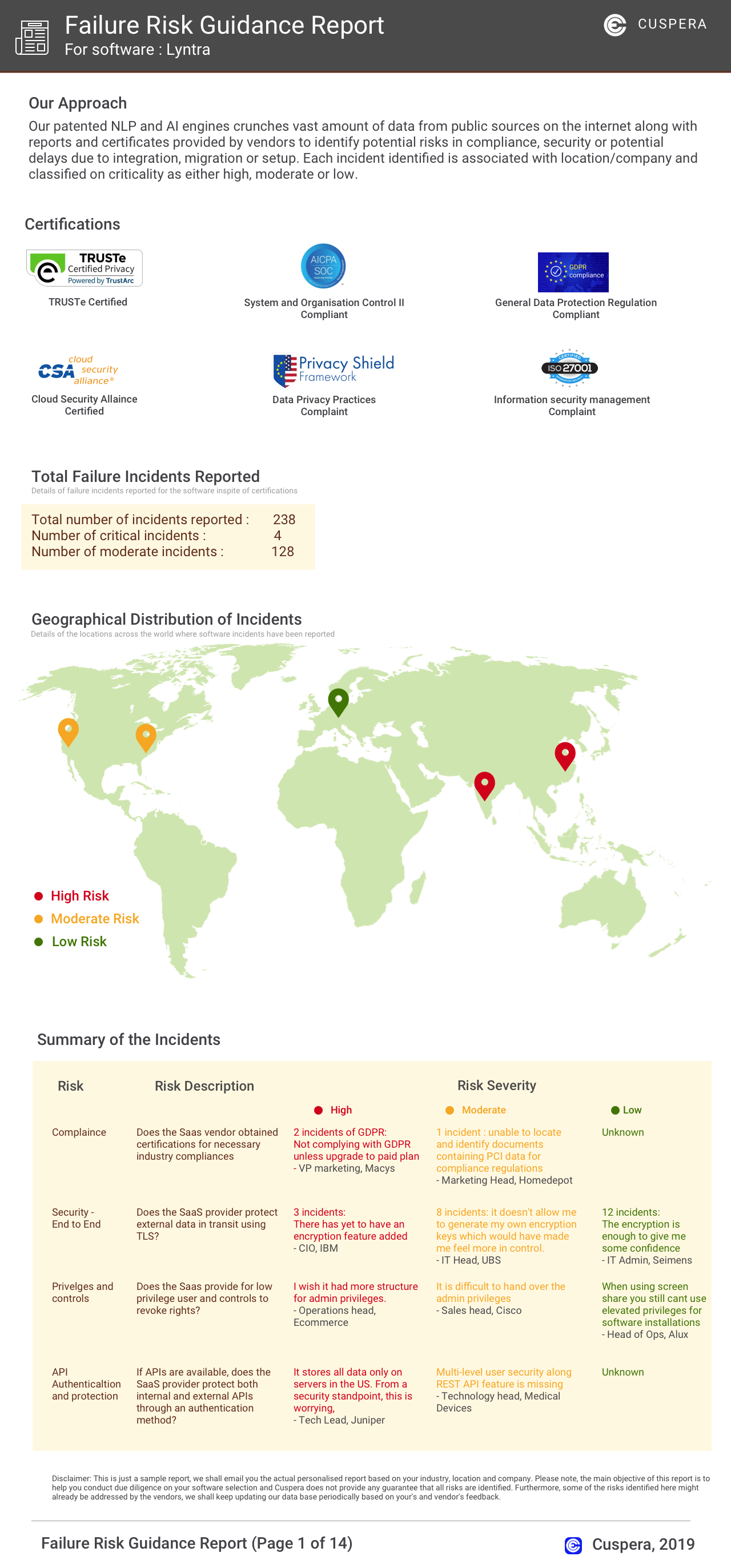
Software Failure Risk Guidance
?for Remote Support Desktop
Overall Risk Meter
Top Failure Risks for Remote Support Desktop
Cireson, LLC News
Cireson Achieves SOC 2 Type II Compliance for the Third Consecutive Year — With Zero Exceptions
Cireson has achieved SOC 2 Type II compliance for the third consecutive year with zero exceptions, reinforcing its commitment to security and compliance for Tikit users. This certification assures customers of Cireson's rigorous standards in managing service delivery and operations within Microsoft 365.
Introducing Visual Service Catalog
Cireson has introduced the Visual Service Catalog, enhancing its IT service management offerings for Microsoft environments. The new solution integrates with Microsoft 365 and Service Manager, providing a streamlined, visually-driven self-service portal for IT and business users. This release aims to simplify service request management and improve user experience within enterprise helpdesk operations.
DevOps Ticketing System Built for Microsoft Teams with Tikit
Cireson has developed Tikit, a DevOps ticketing system built to natively integrate with Microsoft Teams and Microsoft 365. Tikit streamlines helpdesk and service management workflows, offering multi-department support, seamless integrations, and free setup. The platform enhances ITSM capabilities for organizations using Microsoft environments, supporting efficient ticket resolution and collaboration within Teams.
Tikit by Cireson Available on Microsoft AppSource and Teams Store
Ciresons Tikit, a service desk solution built for Microsoft Teams and Microsoft 365, is now available on Microsoft AppSource and the Teams Store. This launch expands Tikits reach, enabling IT service management teams to deploy native ticketing and helpdesk capabilities directly within Microsofts cloud ecosystem.
Cireson, LLC Profile
Company Name
Cireson, LLC
Company Website
//cireson.comHQ Location
1431 Pacific Highway, #H3, SAN DIEGO, California 92110, US
Employees
51-100
Social


Financials
PRIVATE