ScreenSteps Overview
ScreenSteps revolutionizes knowledge management with its AI-powered Knowledge Ops Platform. This platform captures, shares, and manages complex information, transforming it into digital guides that enhance employee performance. By making knowledge findable, followable, and scannable, ScreenSteps changes user behavior and drives organizational success. Its implementation support ensures a swift launch, allowing businesses to quickly leverage the platform's capabilities. ScreenSteps empowers teams to achieve remarkable outcomes by transforming how knowledge is accessed and utilized within the organization.
Use Cases
Customers recommend Knowledge Management, Onboarding, Helpdesk Management, as the business use cases that they have been most satisfied with while using ScreenSteps.
Business Priorities
Acquire Customers and Shorten Ramp Up Time are the most popular business priorities that customers and associates have achieved using ScreenSteps.
ScreenSteps Use-Cases and Business Priorities: Customer Satisfaction Data
ScreenSteps works with different mediums / channels such as Phone Calls. Website. E-Mail etc.
ScreenSteps's features include Ticketing. and ScreenSteps support capabilities include Chat Support, Email Support, Phone Support, etc. also ScreenSteps analytics capabilities include Analytics, and Custom Reports.
Reviews
"...Creating an easy to navigate, easy to understand knowledge base on Zendesk is easy with Screensteps, we can create more articles in a shorter period of time, and incorporate gifs and screenshots easily...." Peer review by Barb C
ScreenSteps, belong to a category of solutions that help Knowledge Management. Each of them excels in different abilities. Therefore, determining the best platform for your business will depend on your specific needs and requirements.
Screensteps reduces questions, mistakes, and onboarding time with effective knowledge ops solutions. Employee performance is improved through a comprehensive knowledge base.
Popular Business Setting
for ScreenSteps
Top Industries
- Computer Software
- Construction
- Non-Profit Organization Management
Popular in
- Small Business
- Mid Market
- Enterprise
ScreenSteps is popular in Computer Software, Construction, and Non-Profit Organization Management and is widely used by Small Business, Mid Market, and Enterprise.
ScreenSteps Customer wins, Customer success stories, Case studies
What solutions does ScreenSteps provide for Knowledge Management?
How can ScreenSteps enhance your Onboarding process?
What benefits does ScreenSteps offer for Helpdesk Management?
What makes ScreenSteps ideal for Sending & Publishing Communications?
11 buyers and buying teams have used Cuspera to assess how well ScreenSteps solved their Knowledge Management needs. Cuspera uses 214 insights from these buyers along with peer reviews, customer case studies, testimonials, expert blogs and vendor provided installation data to help you assess the fit for your specific Knowledge Management needs.
How to Launch Your Knowledge Base On Time


Peers used ScreenSteps for knowledge management and onboarding
ScreenSteps Features
- Low
- Medium
- High
| FEATURE | RATINGS AND REVIEWS |
|---|---|
| Analytics | Read Reviews (6) |
| Custom Reports | Read Reviews (22) |
| CAPABILITIES | RATINGS AND REVIEWS |
|---|---|
| Analytics | Read Reviews (6) |
| Custom Reports | Read Reviews (22) |
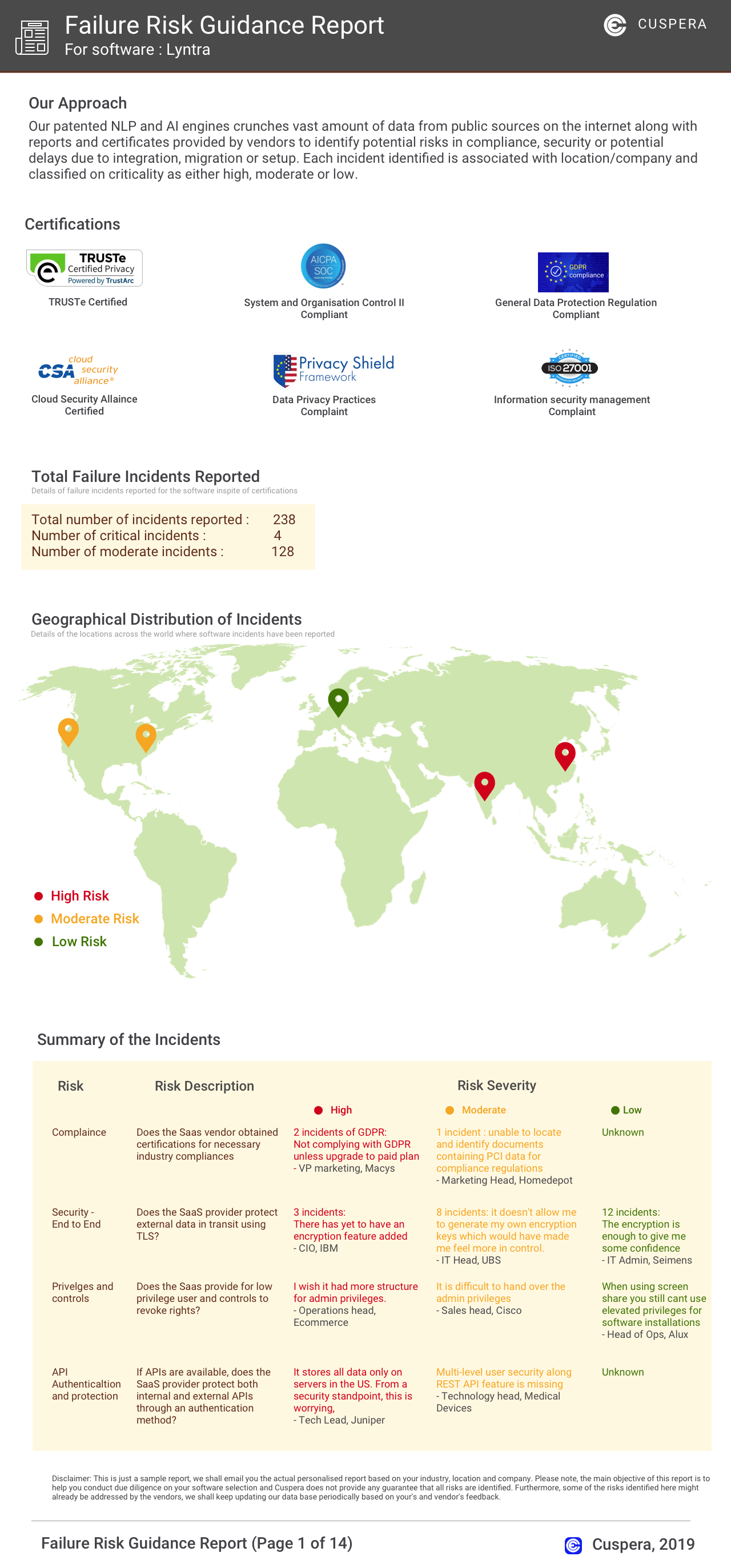
Software Failure Risk Guidance
?for ScreenSteps
Overall Risk Meter
Top Failure Risks for ScreenSteps
ScreenSteps, Inc Profile
Company Name
ScreenSteps, Inc
Company Website
https://www.screensteps.com/HQ Location
PO Box 801, McLean, Virginia 22101, US
Employees
2-10
Social


Financials
NA