Google Forms Overview
Google Forms lets users create online forms and surveys with various question types. Results can be analyzed in real-time on any device.
Use Cases
Customers recommend Collecting Feedback, Collaboration, Content Management, as the business use cases that they have been most satisfied with while using Google Forms.
Business Priorities
Acquire Customers and Improve Customer Satisfaction are the most popular business priorities that customers and associates have achieved using Google Forms.
Google Forms Use-Cases and Business Priorities: Customer Satisfaction Data
Google Forms's features include Embedded Survey Forms, Survey Themes Library, Personalization, etc. and Google Forms support capabilities include Email Support, Phone Support, Chat Support, etc. also Google Forms analytics capabilities include Analytics, and Custom Reports.
Reviews
"Using Google Forms to collect content from our customers saved me hours of work. I simply set up a questionnaire, sent it to our customers, and saw the responses show up in real-time in a single spreadsheet." - Justin Hiltz
Peer review evidence (same sources as the product rating summary)
"...I like that I can easily generate surveys for my clients and get the responses back right away...." Peer review by Justin G, Customer Success Manager, Computer Software
"...It allows for quick collaboration, working with your teammates parallelly and quick rollout to the participants with instant data collection...." Peer review by Sanchit Gupta, UX Designer, Cogniance
"...The staff loves how they are able to share these documents so easily and without hesitation... ...." Peer review by Eric L., Student Intervention Specialist , Education
Google Forms, SmileBack, SurveyMethods, Medallia Agent Connect, Zenloop, etc., all belong to a category of solutions that help Customer Feedback Management. Each of them excels in different abilities. Therefore, determining the best platform for your business will depend on your specific needs and requirements.
Popular Business Setting
for Google Forms
Top Industries
- Education
- Computer Software
- Information Technology and Services
Popular in
- Small Business
- Mid Market
- Enterprise
Google Forms is popular in Education, Computer Software, and Information Technology And Services and is widely used by Small Business, Mid Market, and Enterprise.
Google Forms Customer wins, Customer success stories, Case studies
What solutions does Google Forms provide for Collecting Feedback?
How does Google Forms address your Collaboration Challenges?
How can Google Forms enhance your Content Management process?
What solutions does Google Forms provide for Sales Document Management?
How does Google Forms address your Communication Management Challenges?
11 buyers and buying teams have used Cuspera to assess how well Google Forms solved their Customer Feedback Management needs. Cuspera uses 31459 insights from these buyers along with peer reviews, customer case studies, testimonials, expert blogs and vendor provided installation data to help you assess the fit for your specific Customer Feedback Management needs.
| CUSTOMERS | TESTIMONIALS |
|---|---|

|
Using Google Forms to collect content from our customers saved me hours of work. I simply set up a questionnaire, sent it to our customers, and saw the responses show up in real-time in a single spreadsheet. Testimonial By Justin Hiltz |
| CUSTOMERS | TESTIMONIALS |
|---|---|
|
Justin Hiltz Johnny Cupcakes |
Using Google Forms to collect content from our customers saved me hours of work. I simply set up a questionnaire, sent it to our customers, and saw the responses show up in real-time in a single spreadsheet. Testimonial By Justin Hiltz |
Springshot - Aviation Software - Medium
Springshot says Google’s $10m Spirit deal could include its trade secrets
How To Create Google Form - 2024 | Complete Tutorial
Frequently Asked Questions (FAQ)
What buyers ask before choosing Google Forms
What is Google Forms?
Google Forms is a Free online Survey software that allows collecting information from users through surveys and are automatically entered into a spreadsheet. It creates a new survey from a variety of pre-made themes and edit it with others at the same time. It helps to enhance customer relationships, improve internal communications and acquire customers.
It creates a form as easily as creating a document, share forms with an email, a link, or a website, and connect with customers to gain valuable insights. Its real-time collaboration helps to create the form faster and analyses the results together without having to send around multiple versions of the file.
Key features of Google forms are custom forms, drag-and-drop, customize values, reorder questions, add images, videos, and custom logic, real-time response information, automatic summaries and more.
What is Google Forms used for?
What are the top features of Google Forms?
Who uses Google Forms?
What are Google Forms alternatives?
Where is Google Forms located?

Peers used Google Forms for Collecting feedback and collaboration
Google Forms Competitors


Google Forms Features
- Low
- Medium
- High
| FEATURE | RATINGS AND REVIEWS |
|---|---|
| AI Powered | Read Reviews (18) |
| Analytics | Read Reviews (892) |
| Custom Reports | Read Reviews (5966) |
| CAPABILITIES | RATINGS AND REVIEWS |
|---|---|
| AI Powered | Read Reviews (18) |
| Analytics | Read Reviews (892) |
| Custom Reports | Read Reviews (5966) |
Google Forms Integrations
Google Forms integrates with a wide range of software applications through its robust data import and export capabilities.


Few API Integrations for Google Forms


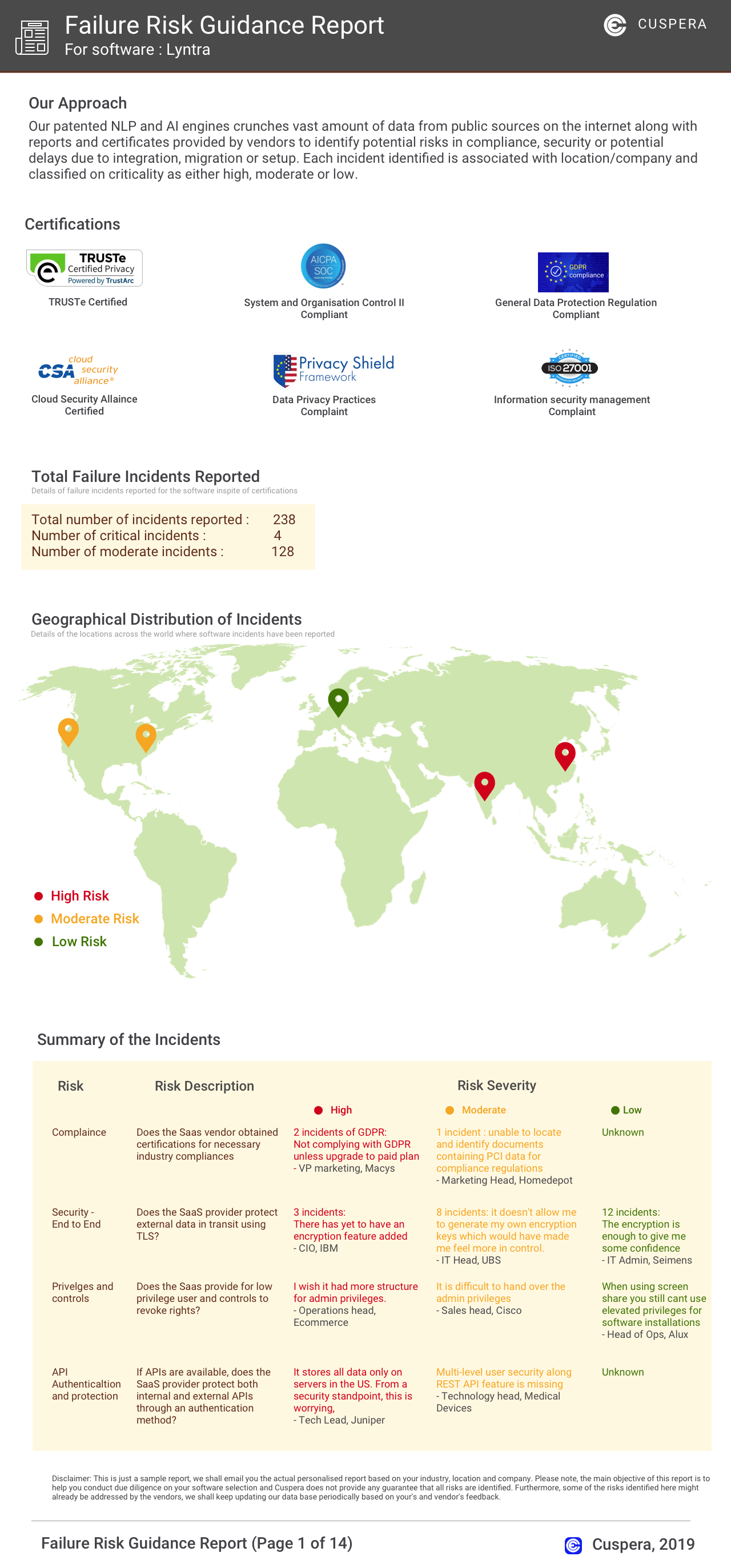
Software Failure Risk Guidance
?for Google Forms
Overall Risk Meter
Top Failure Risks for Google Forms
Google LLC News
Nvidia, Google and Emerald AI launch flexible data center consortium
Nvidia, Google, and Emerald AI have formed the AI Energy Management Alliance to promote flexible data centers. This consortium aims to develop best practices for reducing power draw during grid strain and standardize metrics for power optimization. Google contributes demand response technologies, while Nvidia and Emerald AI collaborate on a power-flexible AI data center in Virginia.
Accenture and Google Cloud Deepen Partnership with Formation of New Accenture Gemini Enterprise Business Group - Accenture
Accenture and Google Cloud have launched the Accenture Gemini Enterprise Business Group to enhance AI-driven business transformation. This joint venture aims to scale AI deployment for enterprises, leveraging Accenture's expertise and Google Cloud's AI capabilities. The group will focus on increasing Gemini Enterprise adoption and building industry-specific solutions.
Google issues urgent Chrome update as users told to restart their web browsers immediately
Google has released an urgent update for its Chrome browser to address multiple security vulnerabilities, including a critical zero-day flaw that allows remote code execution. The update, version 152.0.7977.82/.83, is crucial for user security and is rolling out for Windows, Mac, and Linux. Users are advised to restart their browsers to apply the update.
Google debuts Gemini 3.8 Flash and a new cybersecurity model
Google has launched Gemini 3.8 Flash, enhancing coding and reasoning capabilities, and Gemini 3.8 Flash Cyber, focusing on vulnerability discovery and automated software patching. The models show improved performance on benchmarks like DeepSWE v1.1 and Terminal-bench 2.1. Gemini 3.8 Flash is available through various Google platforms, while access to the cybersecurity model is restricted to select users.
Google LLC Profile
Company Name
Company Website
https://about.google/HQ Location
1600 Amphitheatre Parkway, Mountain View, CA 94043, US
Employees
10,001+
Social


Financials
SERIES A